
 Some of you with older orgs may not know about this popular tip. One quick and easy time-saver that you can use in Salesforce is its use of hovers, or “hover-overs.” With this feature turned on, you can get a quick snapshot of a record from two places: 1) Your sidebar’s Most Recent Items list, and 2) from the Lookup link from within any record.
To activate this, go to Setup > App Setup > Customize > User Interface.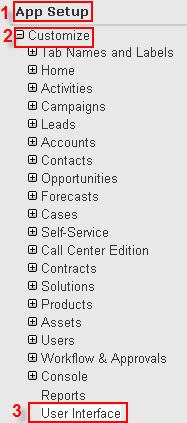
Check the Enable Hover Details and the Enable Related List Hover Details checkboxes.
Don’t forget to hit Save!